library(stringi)
library(stringr)
library(tidyr)
library(tibble)
library(rvest)
library(corporaexplorer)
library(readr)
library(quanteda)
library(tidytext)
library(tidyverse)
#library(textnets) ignore this as has to download from githubIn Class Exercise 6
Exploring the King James Bible.
We will be using https://kgjerde.github.io/corporaexplorer/articles/bible.html for practice.
bible <- readr::read_lines("http://www.gutenberg.org/cache/epub/10/pg10.txt")# Collapsing into one string.
bible <- paste(bible, collapse = "\n")
# Identifying the beginning and end of the Bible / stripping PJ metadata
# (technique borrowed from https://quanteda.io/articles/pkgdown/replication/digital-humanities.html).
start_v <- stri_locate_first_fixed(bible, "The First Book of Moses: Called Genesis")[1]
end_v <- stri_locate_last_fixed(bible, "Amen.")[2]
bible <- stri_sub(bible, start_v, end_v)
# In the file, every book in the bible is preceded by five newlines,
# which we use to split our string into a vector where each element is a book.
books <- stri_split_regex(bible, "\n{5}") %>%
unlist %>%
.[-40] # Removing the heading "The New Testament of the King James Bible",
# which also was preceded by five newlines.
# Because of the structure of the text in the file:
# Replacing double or more newlines with two newlines, and a single newline with space.
books <- str_replace_all(books, "\n{2,}", "NEW_PARAGRAPH") %>%
str_replace_all("\n", " ") %>%
str_replace_all("NEW_PARAGRAPH", "\n\n")
books <- books[3:68] # The two first elements are not books
# Identifying new chapters within each book and split the text into chapters.
# (The first characters in chapter 2 will e.g. be 2:1)
chapters <- str_replace_all(books, "(\\d+:1 )", "NEW_CHAPTER\\1") %>%
stri_split_regex("NEW_CHAPTER")
# Removing the chapter headings from the text (we want them as metadata).
chapters <- lapply(chapters, function(x) x[-1])Metadata
# We are not quite happy with the long book titles in the King James Bible,
  # so we retrieve shorter versions from esv.org which will take up less
  # space in the corpus map plot.
book_titles <- read_html("https://www.esv.org/resources/esv-global-study-bible/list-of-abbreviations") %>%
  html_nodes("td:nth-child(1)") %>%
  html_text() %>%
  .[13:78]  # Removing irrelevant elements after manual inspection.

# We add a column indicating whether a book belongs to the Old or New Testament,
#   knowing that they contain respectively 39 and 27 books.
testament <- c(rep("Old", 39), rep("New", 27))
Creating data frame with text and metadata
# Data frame with one book as one row.
bible_df <- tibble::tibble(Text = chapters,
                           Book = book_titles,
                           Testament = testament)

# We want each chapter to be one row, but keep the metadata (book and which testament).
bible_df <- tidyr::unnest(bible_df, Text)
corporaexplorer When we first have a data frame with text and metadata, creating a “corporaexplorerobject” for exploration is very simple:
# As this is a corpus which is not organised by date,
  # we set `date_based_corpus` to `FALSE`.
# Because we want to organise our exploration around the books in the Bible,
  # we pass `"Book"` to the `grouping_variable` argument.
# We specify which metadata columns we want to be displayed in the
  # "Document information" tab, using the `columns_doc_info` argument.
KJB <- prepare_data(dataset = bible_df,
                    date_based_corpus = FALSE,
                    grouping_variable = "Book",
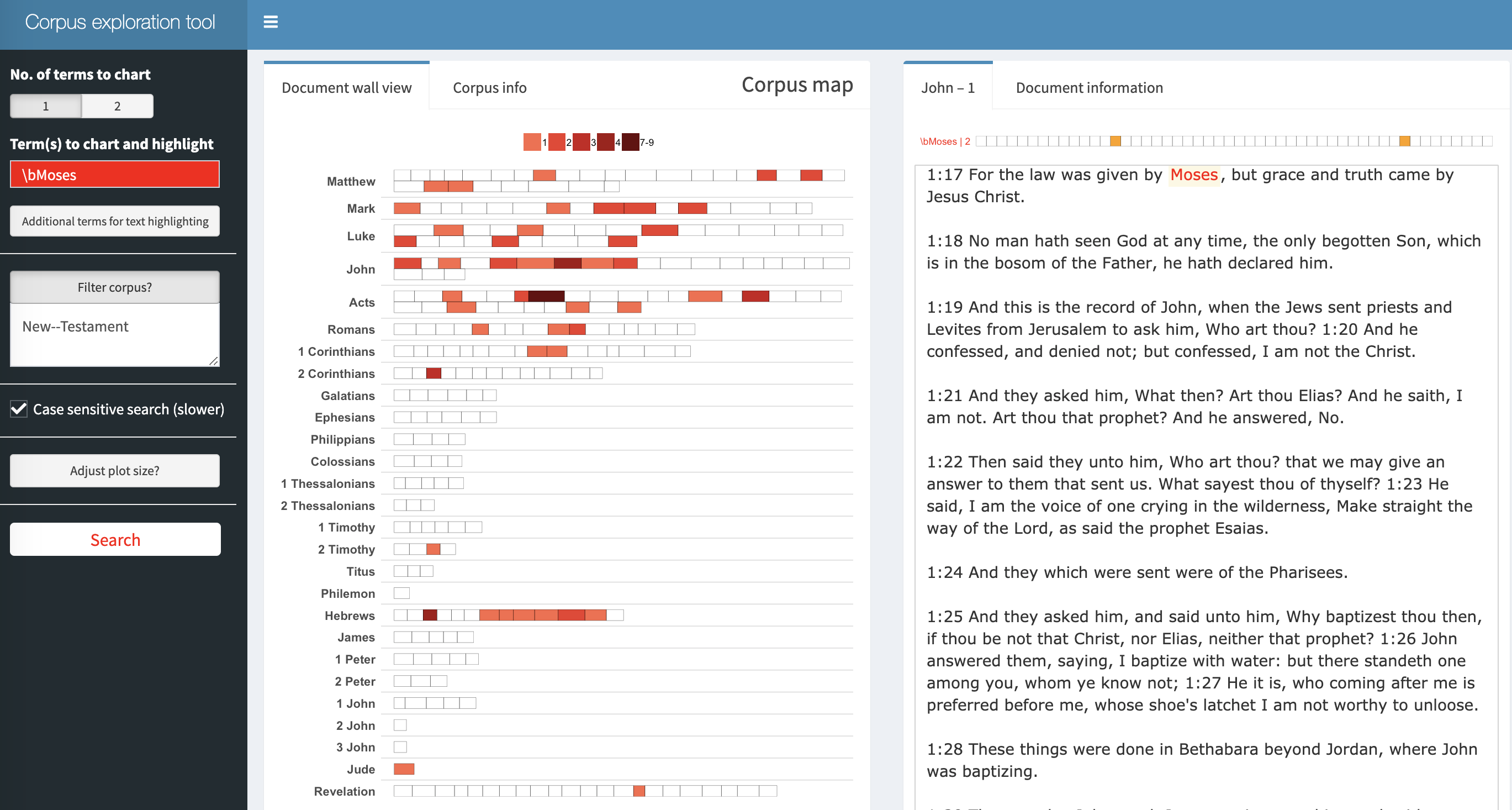
columns_doc_info = c("Testament", "Book"))class(KJB) #have to be before explore[1] "corporaexplorerobject"explore(KJB) #opens shiney appShiny applications not supported in static R Markdown documents
Extra Notes: - This particular exercise is very useful for MC1 in VAST challenge. -